
 Book Now

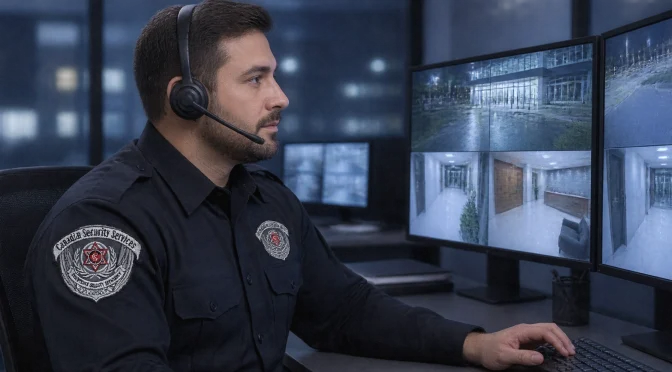
An alert at 2 a.m. is the real test of 24/7 security monitoring. A camera by itself may leave you with footage to review later. Monitoring is the process that decides what happens in the minutes after an alert: who checks it, who is contacted, whether a response is sent, and how the event is recorded.
Most frustration with security monitoring does not come from the camera. It comes from gaps between detection, verification, escalation, response and documentation. Before you buy a monitoring package, make sure you know exactly how that chain works at your property.
What 24/7 Security Monitoring Actually Means
Round-the-clock coverage means alerts receive live attention at all hours, every day of the year, including weekends and holidays. It should include a clear response process, not just a promise that your system is “on.”
These services are different:
- Recording: Cameras save video for later review.
- Remote access: You can view camera feeds on your phone or computer.
- Actively monitored coverage: A monitoring process reviews alerts, verifies activity and follows an agreed escalation plan.
Ask who receives an alert, what they do next, and who can be sent to the site. If those steps are unclear, you may have recording or remote access, but not the 24/7 security monitoring you expected. See video monitoring services and CCTV camera options.
The Five Steps In Every Monitored Event
Every event should move through five defined steps. A weak handoff at any point can delay action or leave you without a useful record.
- Detection: A camera, alarm or other device identifies activity. If the device misses activity or is offline, the process may never start.
- Verification: An operator checks available video, audio, schedules or other records. Without verification, a normal activity or equipment fault may be treated as a threat.
- Escalation: The operator follows your approved call list and response rules. Outdated contacts or unclear authority can stall a decision.
- Response: A guard, mobile patrol, keyholder or police may be contacted, depending on the situation and local requirements. If nobody is assigned to act, an alert can end with a notification only.
- Documentation: The event, decisions and actions are recorded. Without a clear report, you cannot tell what happened or address repeat problems.
From Alert To Response: The Chain Of Events
A clear response plan should explain what happens from the first signal through close-out:
- Alert received and logged: The event is recorded with its time stamp, site and signal or camera source.
- Camera view pulled: The operator reviews the relevant camera view to check what triggered the alert.
- Activity verified: The event is compared with the schedule, keyholder information and available access records.
- Call list followed: The operator contacts the approved people in the agreed priority order.
- Response arranged: A mobile patrol or on-site guard may be dispatched, or the keyholder or police may be notified, as appropriate.
- Incident documented: The event and outcome are recorded and shared with the property manager according to the agreed reporting process.

Live Video Verification Changes The Dispatch Decision
A live operator can use video to check whether someone is actually on site, rather than relying on an alarm signal alone. Where the system allows, the operator may use a two-way speaker message to address a person on the property. If a response is needed, the operator can also share relevant observations with responders.
Canadian Security Services’ video monitoring service describes live video verification, two-way speaker messages, event tracking, archived recordings and incident reports. These capabilities help turn camera activity into an actionable, documented event. A recording system alone cannot verify activity live, speak through a camera or manage an escalation process.
Verified Response: What Police Expect Before They Attend
Police alarm response rules vary by service area. In Toronto, burglar alarm requests generally require verification, such as video or audio confirmation, an eyewitness, or activations across multiple zones. Panic alarms are exempt from that burglar-alarm verification requirement. Check the Toronto Police Service alarm response information for current details.
Peel Regional Police strongly recommend setting up verification options before a system goes online. Their policy lists steps such as calling the premise, contacting keyholders, reviewing the type and number of signals against work schedules, and using audio or visual technology. The monitoring station must be able to provide details of its verification attempts when requesting police response.
Peel’s published policy lists a false-alarm fee of $173 plus HST, invoiced monthly to the central monitoring station. Police may also suspend response to premises with a history of false alarms. Read the Peel Regional Police Alarm Response Policy.
A monitored site that dispatches on unverified signals costs everyone time and resources. A monitoring partner with a clear verification process helps reduce avoidable dispatches and protect your ability to receive an appropriate police response.
Who Actually Shows Up
A monitoring centre is not a guard. The people who may attend or be contacted have different roles:
- On-site guard: Provides continuous presence and can assess situations in person, within assigned duties and training.
- Mobile patrol: Can conduct a physical check or respond to a site, subject to availability and the agreed service. Learn about mobile patrol services.
- Designated keyholder: May provide access or help secure the property, but must be reachable and able to attend.
- Police: Respond according to verified information, local policy, incident priority and available resources. Police are not a routine service to secure an unlocked door.
Your plan should state who is contacted, what information is shared and what each responder is authorized to do.
What Your Monitoring Provider Should Have On File
For a useful response, confirm that your provider has:
- A current keyholder list, including expected response times
- The premise ID or file number, where the local service assigns one
- The correct municipal address and unit number, clearly signed on the building
- A site map with camera names and alarm zones
- The escalation call list in priority order
- Authorization identifying who can order a response
- Service and maintenance contacts
Peel’s policy calls for commercial premises to be clearly signed with the business name and unit number at the front and rear, and for current keyholder information to be on file.
When The Site Is Empty For Days
Holidays, long weekends, storm events, power interruptions, construction shutdowns and seasonal closures are when monitoring can be especially valuable. These are the periods when fewer people are on site to notice an issue.
Plan for equipment failures as well as security alerts. During severe weather or widespread power failures, Peel police response may be withheld if call volumes seriously affect resources; the caller is to be advised why. Ask your provider how outages are detected and what backup communication or power options your system has.
Guards, Monitored Cameras, Mobile Patrol, Or A Mix
Choose coverage based on what your property needs, not only on the number of cameras.
- On-site guard: Best for continuous presence, controlled entry and human judgement.
- Monitored cameras: Useful for visibility across large or scattered areas, after-hours alerts and live verification.
- Mobile patrol: Useful for randomized physical checks and response across multiple sites.
A hybrid model often provides the strongest coverage. Monitored cameras identify and help verify an event. A patrol or guard can attend and assess it in person. The monitoring process shares relevant information, while the response team reports what they find. These roles should hand off clearly rather than duplicate each other. Canadian Security Services supports properties through commercial security, condominium security and access control security.
When comparing providers, ask who receives live alerts and who takes action. You can also ask whether the monitoring centre is listed to CAN/ULC-S301. Learn more through UL Solutions’ alarm certification program.
What The Monthly Report Should Show
Your report should let you see what happened, how quickly the plan moved and where the system may need attention. Look for:
- Alerts received by date and time
- What triggered each alert
- Verification outcome
- Action taken and time to action
- False or nuisance alerts and their cause
- Patrol or guard response records
- Camera or equipment faults
- Incident reports
Digital reporting helps property managers review patterns, track follow-up and confirm that each event was closed out.
24/7 Security Monitoring For Mississauga And The GTA
If you already have cameras, make sure they are part of a response process, not just a recording system. Canadian Security Services provides 24/7/365 coverage and a hybrid approach that combines trained personnel, monitoring, patrol and reporting. Officers are licensed, qualified and insured, with site-specific orientation, conflict management and incident reporting training.
Flexible short-term and long-term contracts are available. Eligible clients may switch and save up to 20% on current security costs. Talk with our team about the right 24/7 security monitoring plan for your Mississauga or GTA property. Call 1 866 925 9889 or 647 409 3789, or contact Canadian Security Services to discuss coverage.

Frequently Asked Questions
Does Monitoring Replace A Guard?
No. Monitoring helps identify and verify activity, but a guard provides an on-site presence and in-person judgement. Many properties benefit from combining both.
How Fast Is A Response?
Response time depends on the event, location, responder availability and local police priorities. Ask for the provider’s written escalation process and response expectations.
What Happens If The Internet Or Power Goes Down At My Site?
It depends on your equipment and backup setup. Ask whether the system has battery or cellular backup, how outages are detected, and who is notified when cameras go offline.
Can You Monitor Cameras We Already Installed?
Often, yes. Compatibility, secure access and the camera system’s ability to provide usable live feeds must be assessed first. Review your setup with a provider.
What Does 24/7/365 Actually Cover?
It means coverage is scheduled for all hours, including weekends and holidays. Storms and widespread outages can affect site equipment or police response, so confirm the specific limits and backup plan in writing.

